

Description
Download Armco CU – mobile banking, check deposit, card controls, loan payments, account management, secure banking
Overview
Armco CU Mobile Banking is a free Android application designed to empower users with convenient, on-the-go access to their financial accounts. Developed by Butler Armco Employees CU, the app serves as a digital extension of the credit union’s services, enabling members to manage their finances efficiently from any location. The primary purpose of the application is to simplify daily banking tasks such as checking account balances, reviewing transaction histories, transferring funds between accounts, and making loan payments. These features are particularly beneficial for individuals with busy schedules who need reliable access to their financial data without visiting a physical branch.
Target users include members of Butler Armco Employees CU, especially those who prioritize convenience, security, and real-time access to their accounts. The app supports remote check deposits, a valuable feature that eliminates the need for in-person visits to a branch, and includes card controls that allow users to freeze or unfreeze their debit and ATM cards instantly. This functionality enhances financial security by helping users quickly respond to potential fraud or lost cards. Real-world usage scenarios include managing personal budgets, tracking spending, depositing paychecks remotely, and securing accounts during travel. The app is tailored for everyday financial management, offering a streamlined experience for users seeking reliable mobile banking solutions.
Key Features & Capabilities
- Account Management: View real-time balances and transaction histories across all linked accounts, providing a clear overview of financial activity.
- Remote Check Deposit: Capture and submit checks electronically using the device’s camera, enabling free deposits without visiting a branch.
- Fund Transfers: Move money between personal accounts or to external accounts with minimal steps and immediate confirmation.
- Loan Payments: Schedule or make direct payments toward existing loans, helping users stay on track with repayment goals.
- Card Controls: Freeze or unfreeze debit and ATM cards instantly to prevent unauthorized transactions in case of loss or theft.
These features are designed to enhance user autonomy and reduce dependency on physical banking hours. For example, a user can deposit a paycheck during lunch break using the Remote Deposit function, or freeze their card while traveling abroad to prevent fraudulent use. The integration of card controls with immediate action capabilities adds a proactive layer of security. The app’s workflow supports quick access to essential functions, minimizing navigation time and improving usability. By consolidating core banking services into a single mobile interface, Armco CU Mobile Banking helps users maintain better control over their finances with minimal friction.
User Interface, Workflow & Performance
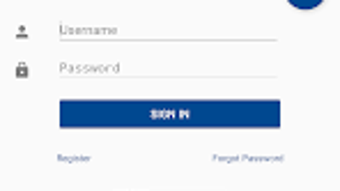
The user interface of Armco CU Mobile Banking is structured to prioritize clarity and ease of access. Navigation is organized through a main dashboard that displays key account information, recent transactions, and quick-action buttons for common tasks such as deposits and transfers. The layout is intuitive, with clearly labeled icons and consistent design patterns that support efficient interaction. Users can access all core features with minimal taps, promoting a smooth workflow for routine banking activities.
Based on general software behavior patterns, the app appears optimized for responsive performance on Android devices. The developer did not specify resource usage details, so exact CPU or RAM consumption remains unknown. However, the 25.7 MB installation size suggests a lightweight footprint, which typically correlates with lower system demands. Stability is expected to be consistent for standard use cases, though real-world performance may vary depending on device hardware and network conditions. The app supports offline access to certain account data, allowing users to view recent transactions without an active internet connection. Overall, the workflow is designed to minimize user effort, with logical progression between screens and immediate feedback for actions like deposits or transfers.
Compatibility & System Requirements
Armco CU Mobile Banking is available exclusively for Android devices. The current version is 1.0.1, with an installation size of 25.7 MB. Compatibility information is limited to the Android platform, and no specific minimum OS version was provided. The developer did not specify hardware requirements such as RAM or processor type, so exact system compatibility cannot be confirmed beyond the stated operating system.
Users should ensure their Android device meets standard app installation criteria, including sufficient storage space and an active internet connection for full functionality. The app is designed to function on a wide range of Android smartphones and tablets, though performance may vary across older or low-end models. For optimal experience, users are advised to keep their device’s operating system updated. The lack of detailed system requirements means that compatibility may depend on individual device configurations, and users are encouraged to verify functionality on their specific hardware.
Pros and Cons
Pros
- Free to download and use with no hidden fees
- Remote check deposit functionality enables branch-free banking
- Card controls offer instant security response to potential fraud
- Streamlined interface supports quick access to key financial tasks
- Supports loan payments and fund transfers for comprehensive account management
Cons
- Available only on Android, limiting access for iOS users
- Exact system requirements were not listed, which may affect compatibility
- Performance details such as CPU or RAM usage were not provided
- Limited to members of Butler Armco Employees CU, reducing general accessibility
- Offline capabilities appear basic, with no indication of full offline functionality
FAQ Section
Is Armco CU Mobile Banking available for iOS devices?
Currently, the app is only available for Android users. There is no official iOS version listed by the developer.
Is the app secure for mobile banking?
Armco CU Mobile Banking includes security features such as card controls and encrypted data transmission. Users are advised to follow best practices, including using strong passwords and enabling two-factor authentication if available.
How do I update the app?
Updates are automatically distributed through the Google Play Store. Users should ensure that automatic updates are enabled or manually check for updates in the Play Store app.
Can I use the app without an internet connection?
Basic account information and recent transaction history may be accessible offline. However, full functionality such as deposits, transfers, and real-time balance updates requires an active internet connection.
Is there a license fee or subscription cost?
No, Armco CU Mobile Banking is completely free to download and use. There are no subscription fees or additional charges for core features.
Final Thoughts
Armco CU Mobile Banking delivers a focused, secure, and efficient solution for members of Butler Armco Employees CU who need reliable access to their financial accounts on mobile devices. Its core features—remote check deposit, card controls, loan payments, and account management—are well-integrated and designed for real-world use. While the app is currently limited to Android and lacks detailed system requirements, its lightweight size and free access make it a practical choice for everyday banking needs. The inclusion of instant card freezing and free deposit capabilities adds significant value, especially for users prioritizing security and convenience. For members of the credit union, this app offers a modern, accessible way to manage finances without the constraints of traditional banking hours. It stands out as a dependable tool for digital financial management in a mobile-first world.
Download Armco CU now
Guides & Tutorials for Armco CU
How to install Armco CU
- Click the Preview / Download button above.
- Once redirected, accept the terms and click Install.
- Wait for the Armco CU download to finish on your device.
How to use Armco CU
This software is primarily used for its core features described above. Open the app after installation to explore its capabilities.
User Reviews for Armco CU 0
No reviews found





